Zmanim
How it fits
A zman describes how and when it is displayed. A zman declares its title, and the days of the week on which it will be visible.
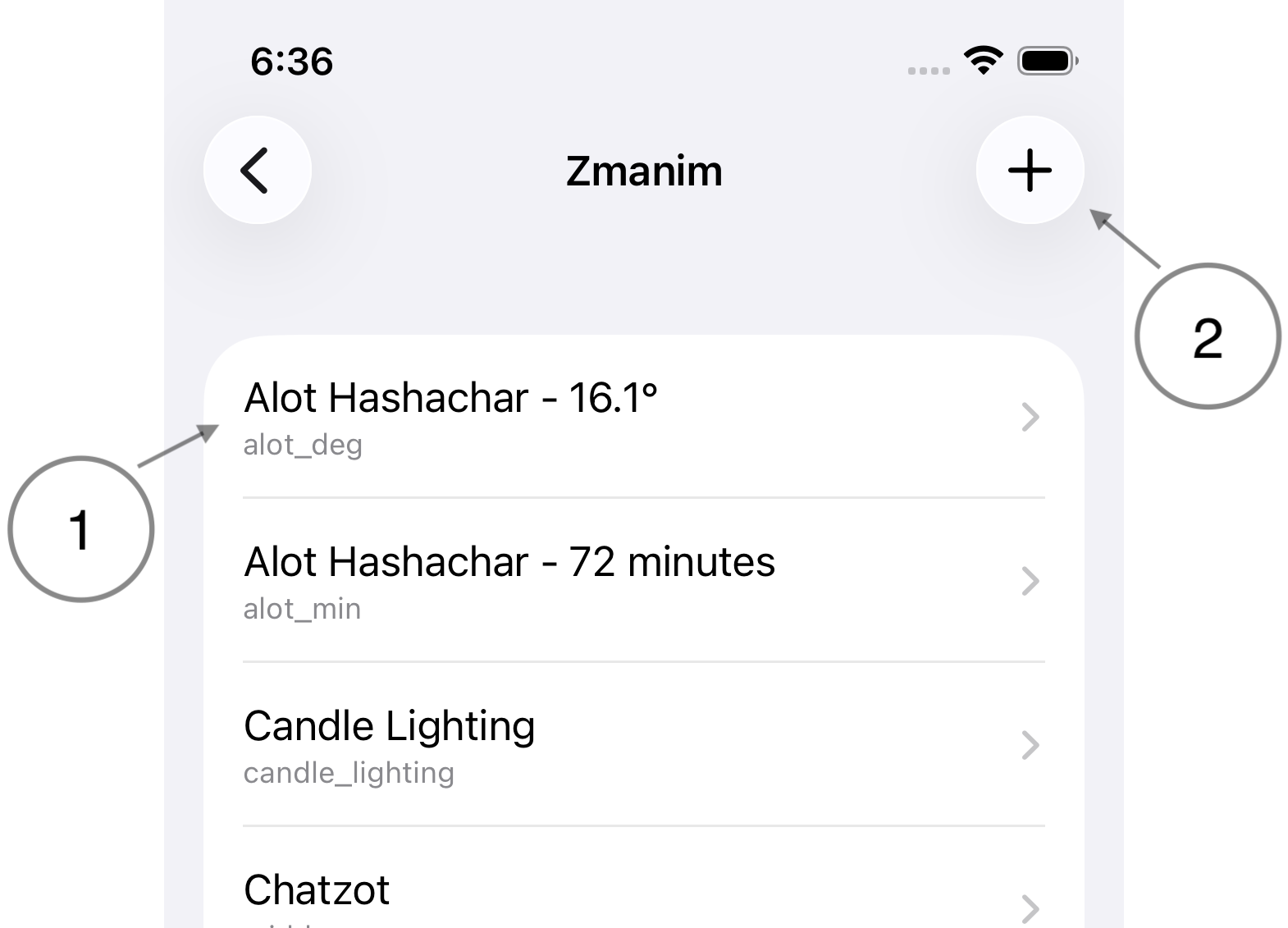
- Zmanim list. This list contains all the zmanim defined in the app.
- Each row shows the title of the zman, and below the title is the name of the calculation used by the zman. [see Calculations]
- Add. Create a new zman.
Add/Edit a zman
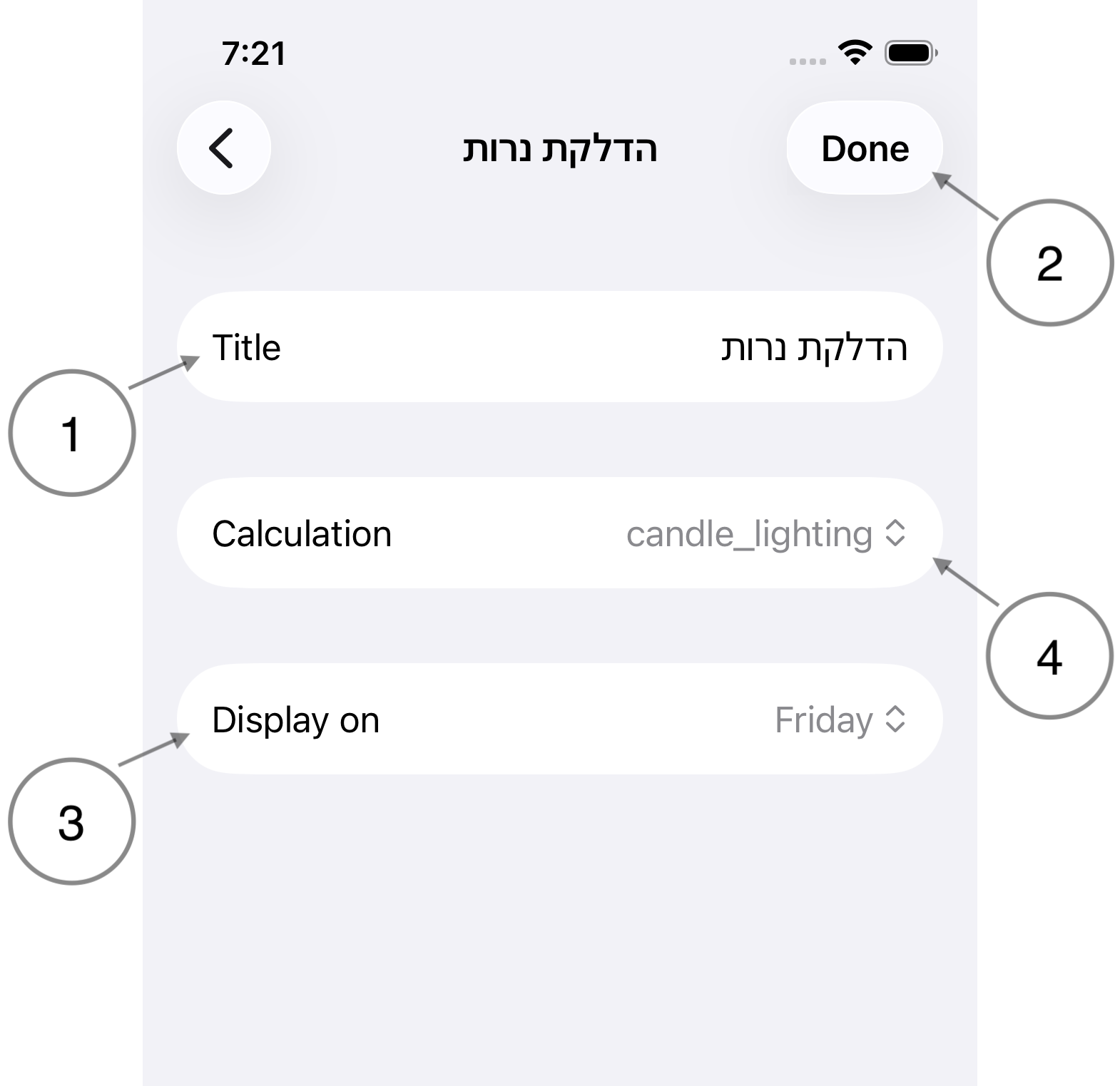
- Title. The title is displayed on the Zmanim tab. Titles can have dynamic elements. See Dynamic Titles
- Done/Save. When editing a zman, the Done button will dismiss the editor. When creating a new zman, the Save button will save the zman before dismissing.
- Display on. A zman may be displayed every day, or on a specific day of the week.
- Calculation. Select the calculation used to power the zman. The variables defined by the calculation may be used for dynamic titles. See Dynamic Titles and Calculations
Done vs Save
When the button says Done, it means changes are being saved as they are made. When the button says Save, changes aren't saved until the button is tapped.
Dynamic Titles
Dynamic titles is an advanced feature that allows placeholders within the title to be replaced by the value of a variable from the selected calculation.
Placeholders are surrounded by curly braces ({}):
Beginning of title {placeholder} end of title
Example
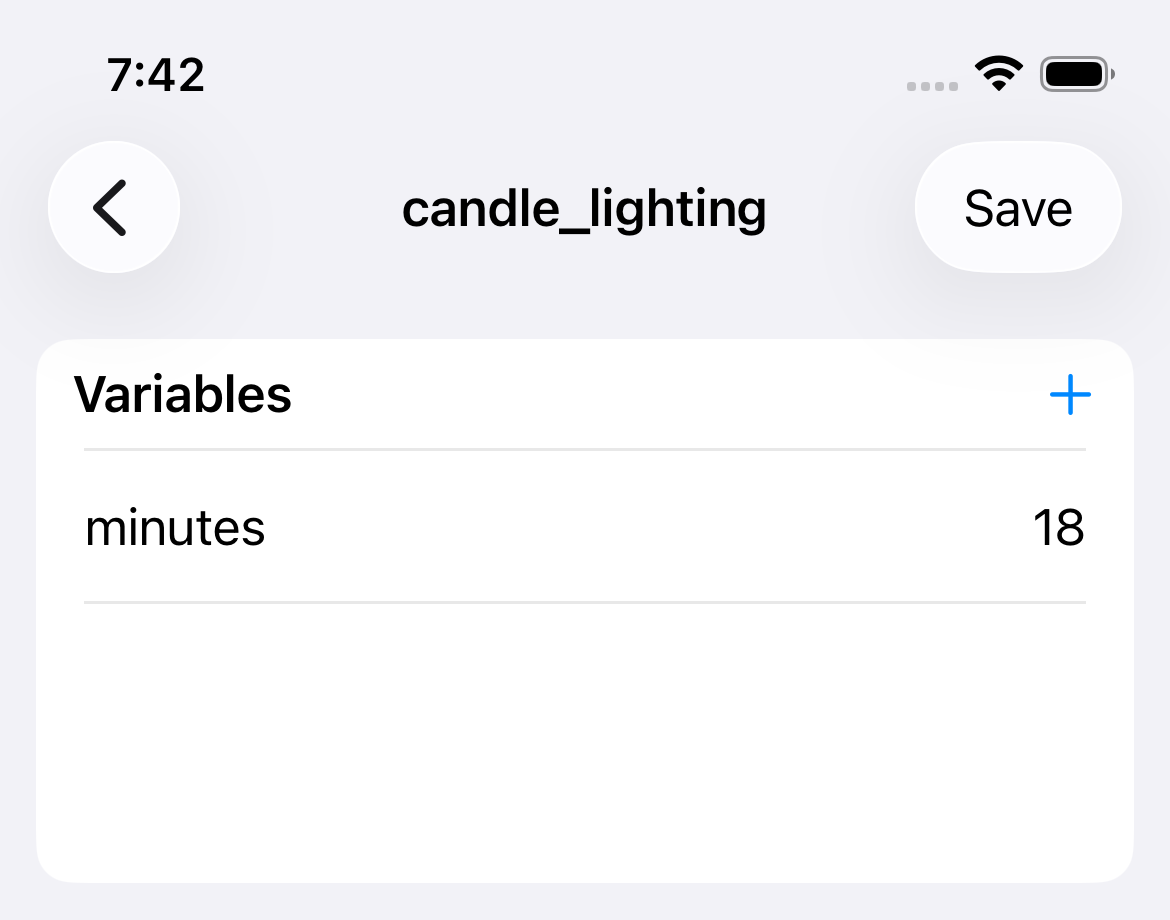
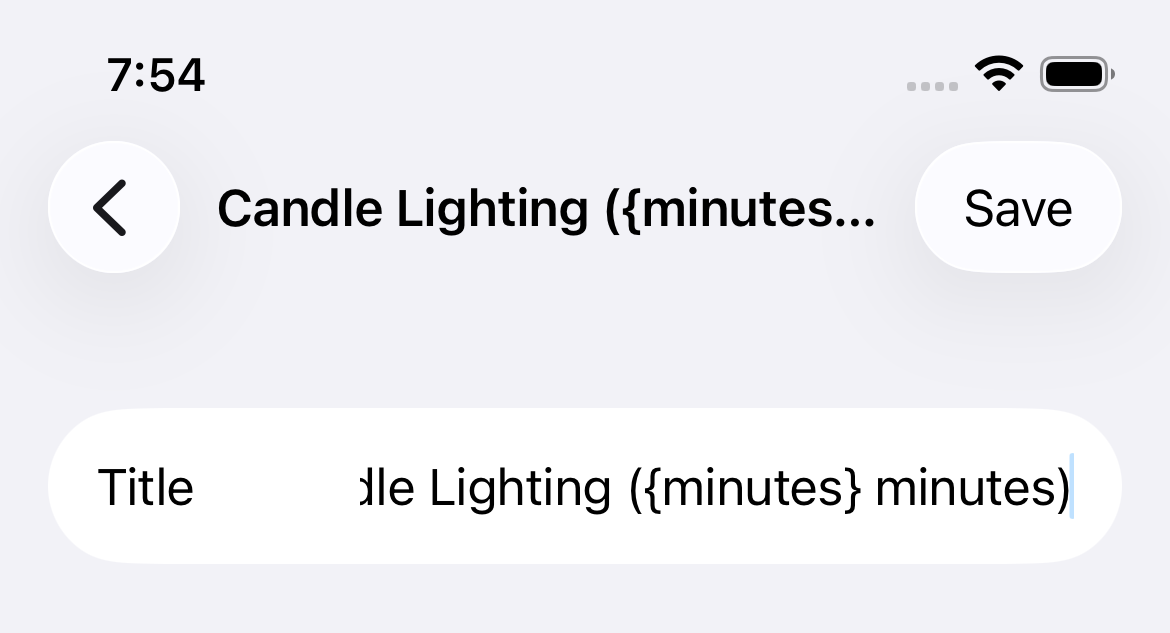
Given a calculation using a variable named minutes, you can define a zman's title as such: Candle Lighting ({minutes} minutes)
-
Calculation variable
-
Zman title
-
Zman display (Zmanim tab)

-
Explanation
The placeholder of
{minutes}in the zman's title is replaced with the variable's value of18when it is displayed on the Zmanim tab.